
What are notifications, how do they work? / How can I keep track of changes?
When you subscribe to email updates of a page, you receive email notifications about activity on the page. For example, when someone updates a page you are subscribed to (also called follow), you receive an email notification to inform you about the changes on that page.There are different types of notifications (about page changes, new comments, and so on), see notification types.
Which notifications you can receive when you are subscribed to a page, depend on the permissions you have to access the page.
How do I (un)subscribe to notifications for a page?
You can (un)subscribe to notifications of individual pages, by clicking the envelope icon in the Page Menu , see the following screenshot: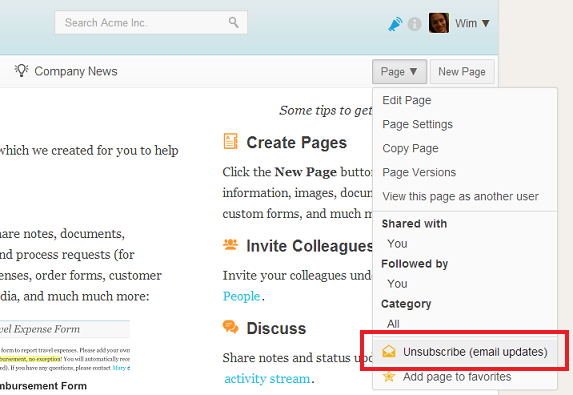
It is also possible to subscribe to new pages by default, see below.
How do I (un)subscribe to notifications for multiple pages at once?
If you want to change your notification preferences for multiple pages at once, that's possible too. Just navigation to your Email Notification Settings, then click on "change", see the illustration: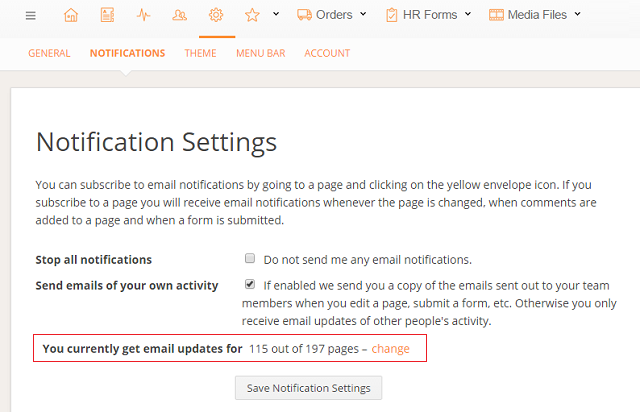
You then get an alphabetical list of all pages you can subscribe to. Check or uncheck the boxes as desired and then click save at the bottom:
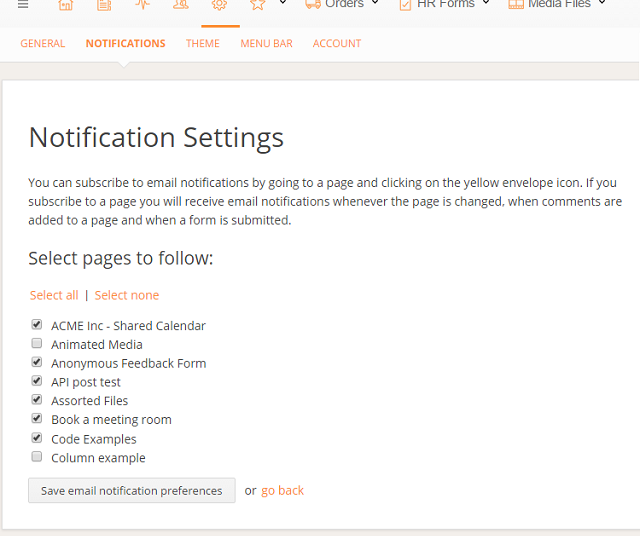
Tip: If you Impersonate another user then you can change their email notification preferences.
How do I automatically subscribe to notifications on new pages?
It is also possible to subscribe to new pages by default. Everytime someone creates a new page, you are automatically notified of all updates about this page. To enable (or disable) this option, go to the My Preferences area, and click Notifications, see the screenshots below: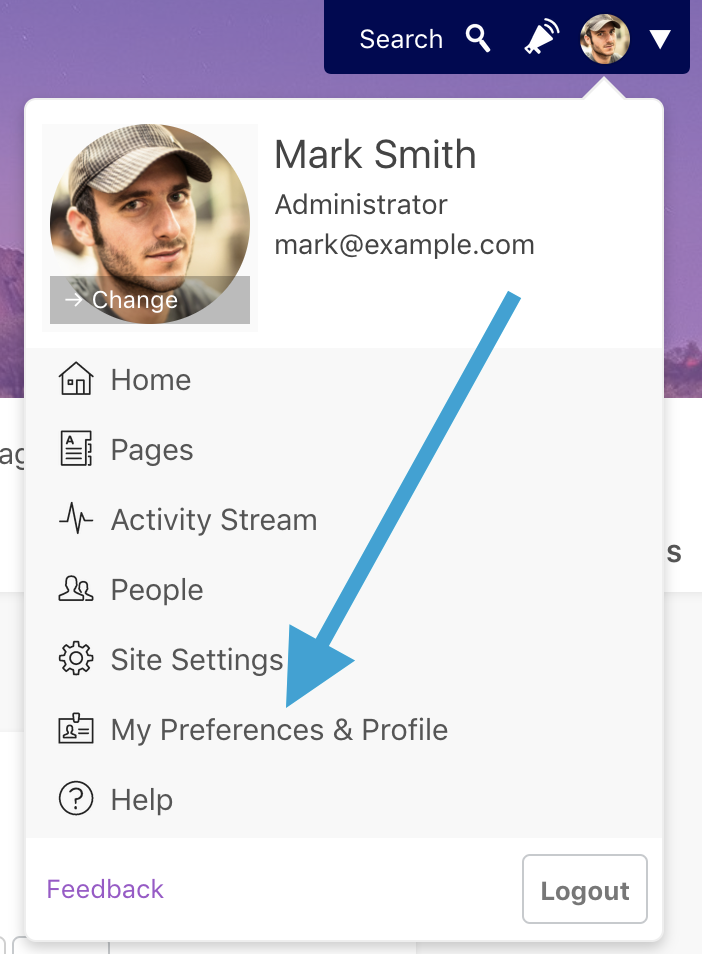
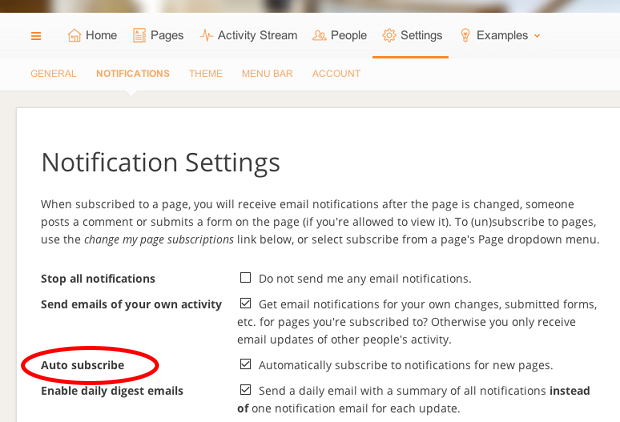
To automatically (un)subscribe to new pages, (un)check the Auto subscribe option, and click Save.
Too many emails? Use daily email digests to receive a summary of activity
Email notifications are an easy way to be notified of acitivty in your intranet. If you're following many pages though, the volume of email notfications could become overwhelming. If you're receiving too many emails, you can turn on the email digests feature.
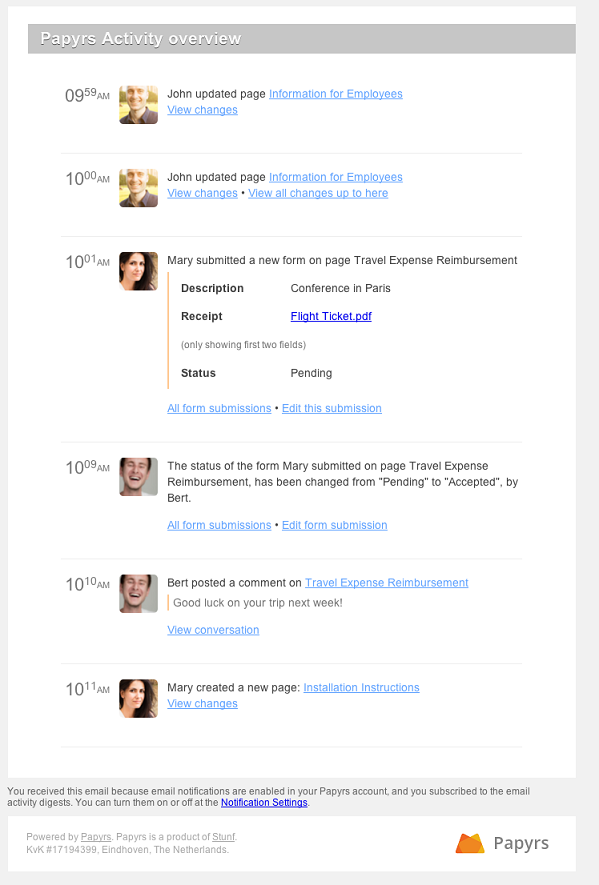
When enabled, Papyrs will send you a daily summary of all notifications, rather than a single email for each notification. Like before, you can simply subscribe to the pages you wish to receive notifications for, and they will be included in the digest email.
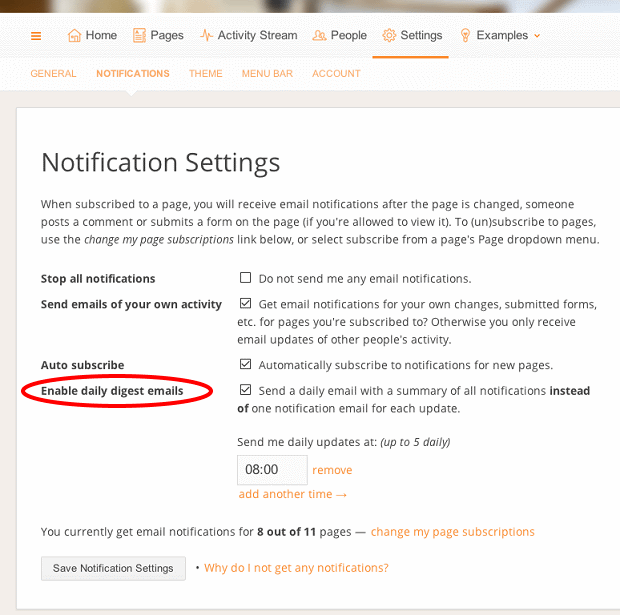
To turn on email digests, go to the notification settings (My Preferences > Notifications), and check the Enable daily digest emails option. The screenshot below shows you an example of what a digest email looks like:
You can specify up to 5 times at which Papyrs will send an overview each day of the notifications (since the previous overview). For example, in the screenshot below, a digest email is sent out each day at 8am, 1pm and 5pm. If no new activity has occured, no digest email is sent.
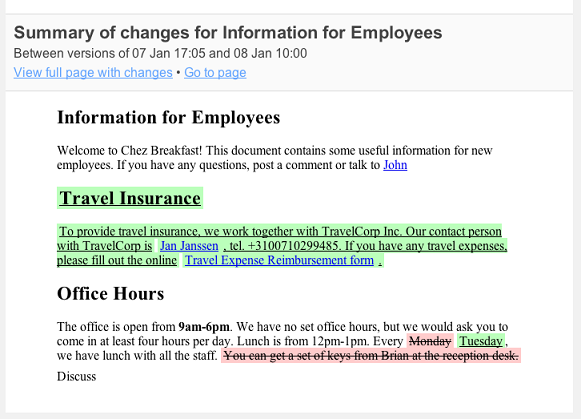
In order to summarize the changes in the digest email, the full details of page updates are not shown. You can quickly access the full details of each update though by clicking on the direct View changes link in the email. If multiple updates have happened to a single page, you can view each update individually, or click on the View all changes up to there link to view multiple changes together ("unified diff").
Who can receive notifications?
To receive notifications about a page, you need to have permissions to at least view the page. Depending on your permissions to access the page, you will receive different types of notifications, see notification types. Furthermore, you need to subscribe to the page, as explained in the sections above.Both team members and people you invite via email to share a page can subscribe to notifications.
How do I disable or pause all notifications?
You can unsubscribe from updates on individual pages, as explained in this section. It's also possible to disable all notifications at once. This option can also be used to simply pause notifications, which is especially useful if you're on a two week vacation and don't want to find your Inbox full of notification emails. To disable (pause) notifications, go to the Settings page, and click Notifications, see the screenshots below: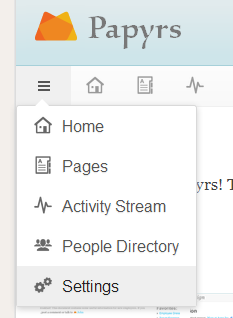
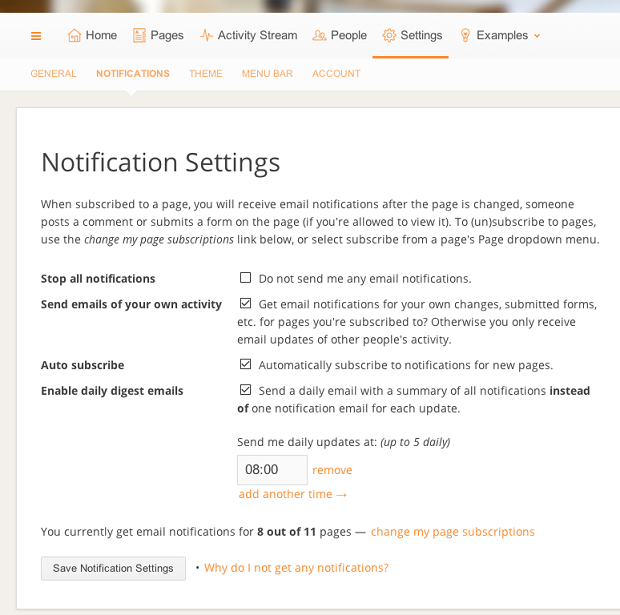
Then, check the Stop all notifications option to pause the notifications, and click Save. If at some point you want to resume receiving new notifications, uncheck the option again.
What kind of notifications are supported?
Once you are subscribed to a page, Papyrs will send different types of notifications, depending on the page activity and your permissions:- Page modified
This email notification shows you what has been changed on a page, see the example below:
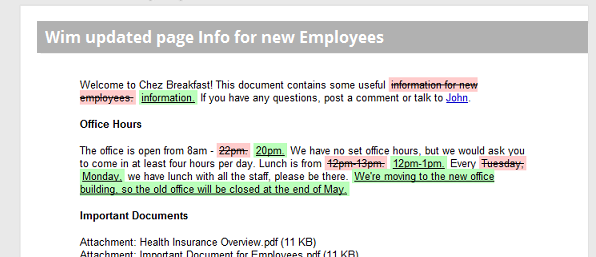
People who can view the page can receive these notifications.
- New form submitted
This email notification is sent when someone submits a new form record on a page, see the example below:
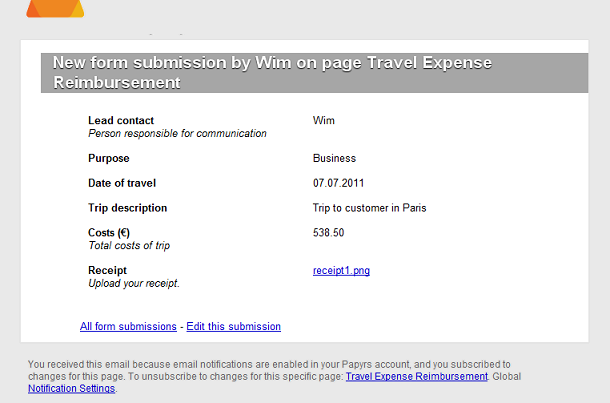
Note: only people who can see this record will receive the notification. Who can see a record depends on the form permissions (the default is: only people who can edit the page, or the person who submitted the form record).
- New comment
This email notification is sent when someone posts a new comment on a page, see the example below:
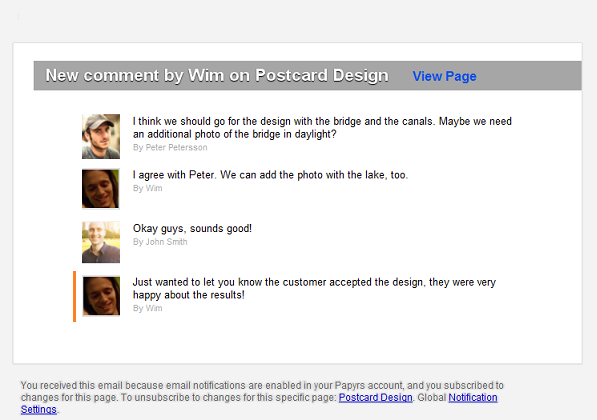
People who can view the page can receive these notifications.
- Status of submitted form changed
This email notification is sent when the Status field of a submitted form record is modified, see the example below:
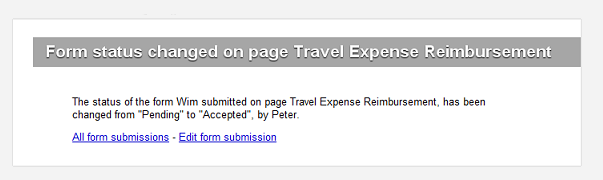
Note: only people who can see this record will receive the notification. Who can see a record depends on the form permissions (the default is: only people who can edit the page, or the person who submitted the form record).